Getting started
WarPay V4 lives on Torn faction pages. It does not auto-fetch when you open a war report. You open the overlay, pick a war, then generate.
Installation
- Purchase — 200m one-time via trade with Scolli03. Existing customers get V4 free. After payment you get a private URL.
- Install — open that URL in Tampermonkey, Violentmonkey, or Torn PDA.
- Open a faction page — any
factions.phppage is enough. You do not have to start on a specific war report. - Tap WP — the purple WarPay icon in Torn status icons opens the overlay.
First run
API key
Open Tools (gear) → API Key. Use a key with faction access. Leaders and co-leaders have this by default. On Torn PDA you can use the app key from the dialog.
The key stays in script storage on your device. It is sent only to Torn's official API (and Weav3r if you run Cache Value Estimator).
Faction
V4 can resolve your faction from the key. If you ever need to set it by hand, it is the numeric ID in
https://www.torn.com/factions.php?step=profile&ID=10818.
Generate the table
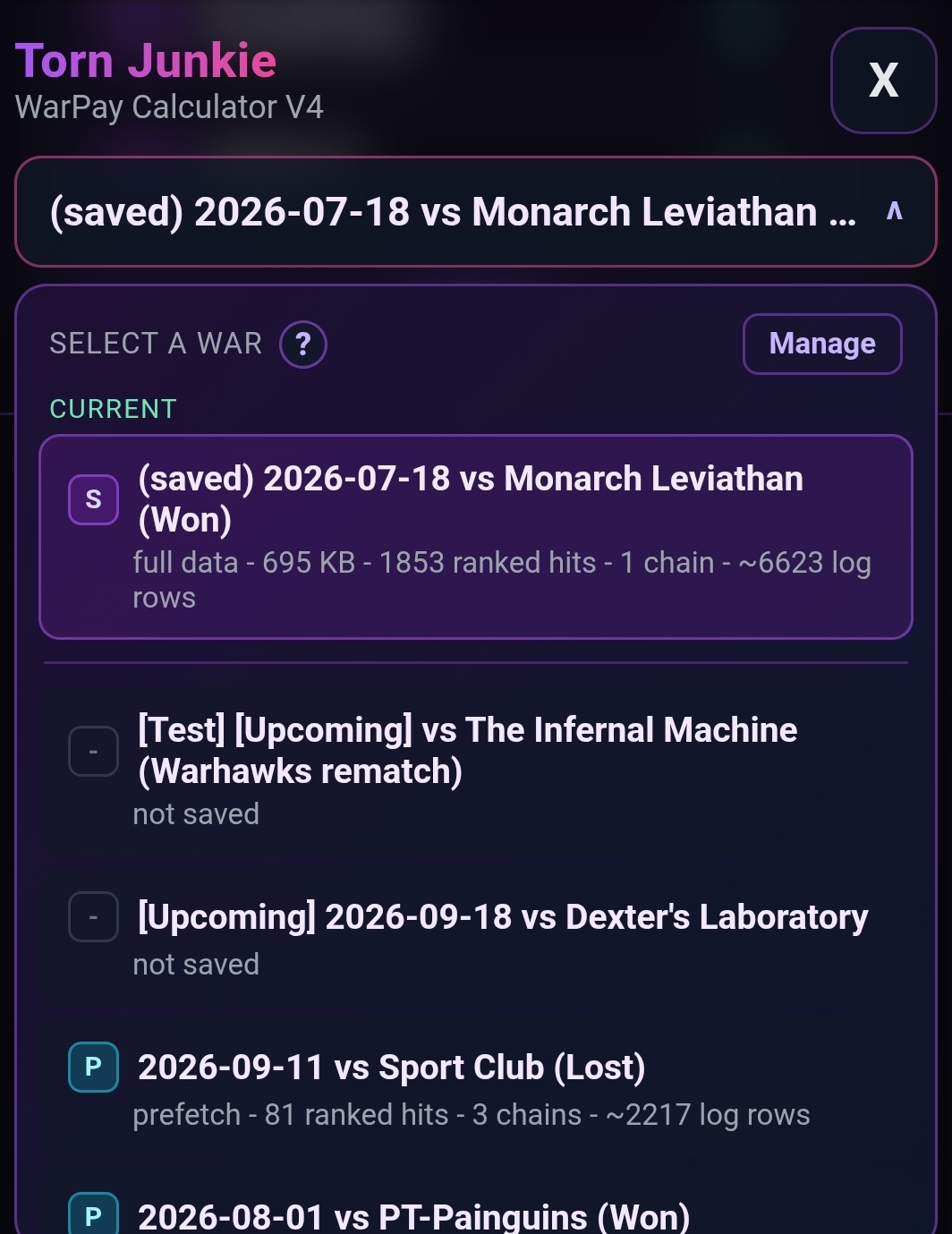
- Pick a war from the themed picker. Prefetch rows show as P until you generate attacks.
- Set pay type, winnings, chains, and costs in WarPay Settings (or open Costs & Chains).
- If the prize is caches, open Cache Value Estimator, refresh listings, and apply the total to winnings.
- Click Save Settings after changes.
- Click Generate Payout Table. Saved wars load from cache. Hold Shift to force an API refresh.
Before you pay
- Confirm total winnings, armory, revive, and merc costs.
- If you used Cache Value Estimator, confirm the applied total matches the haul you intend to pay.
- Check chain states: Included vs Saver only vs Excluded.
- Read the analytics block and table header summary.
- In Report options, turn extra sections on or off before you download or share.
- Apply pending edits before Process Payments.
- Export settings as a backup (includes API key — keep the file private).
- Export complete war data for archives or support (no API key in that file).
Devices
Desktop Chrome/Edge, Firefox, and Torn PDA are first-class. Phone browsers get member cards (score, hits, respect, outside hits, assists, payout split, VIP / Edit), Share, and the same Tools menu. Running two copies of the script on the same page will fight — keep one install enabled.
When something breaks
- Browser or app (Firefox, Chrome, Torn PDA) and script version from the overlay subtitle
- Screenshot of any error modal
- Tools → Start log collection → reproduce → Stop and export logs
- Exported settings and, if the war is huge, a results-only export is still useful
Feature requests
Send them. Complexity and time decide whether it is a free update or a custom piece of work.
Torn: Scolli03 [2803935]
Discord: Scolli03